How to Self-Host NocoBase
 Atakan Öztarak
NocoBase is an open-source, no-code/low-code development platform built on a plugin-based architecture. Think WordPress, but for business applications. You can build CRMs, project trackers, inventory systems, and pretty much any internal tool without writing a single line of code. The community edition is completely free.
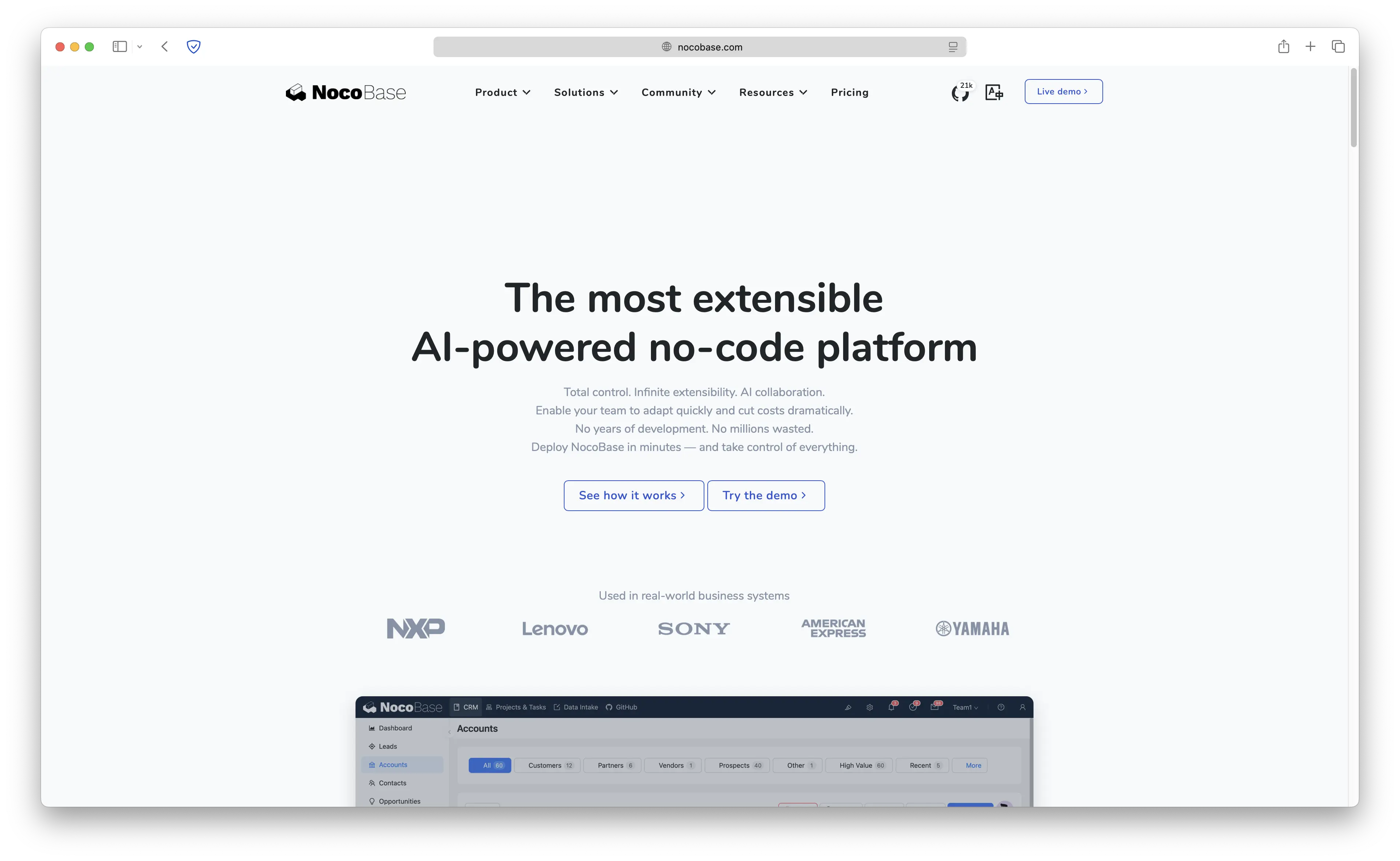
The catch with most no-code platforms? They lock your data in their cloud and charge you per user. Self-hosting NocoBase gives you full control over everything. In this tutorial, we're going to set up NocoBase on Sliplane with a PostgreSQL database. The whole thing takes about 5 minutes and costs only €9/month.
Watch this guide to see how easy it is to deploy NocoBase:
Why Self-Host NocoBase?
- No Per-User Pricing: Most no-code platforms charge per seat. Self-hosted NocoBase has no user limits
- Data Ownership: Your business data stays on your infrastructure, not someone else's cloud
- Plugin Ecosystem: Extend NocoBase with plugins for workflows, approvals, charts, maps, and more
- Full Customization: White-label, custom themes, and even build your own plugins
- AI-Ready: NocoBase supports embedding AI capabilities into your interfaces and workflows
NocoBase vs Alternatives
How does NocoBase stack up against other no-code platforms?
| Feature | NocoBase | Airtable | NocoDB | Retool | Budibase |
|---|---|---|---|---|---|
| Open Source | Yes | No | Yes | No | Yes |
| Self-Hostable | Yes | No | Yes | Paid | Yes |
| Plugin System | Yes | Limited | No | No | Limited |
| No-Code UI Builder | Yes | Limited | Limited | Yes | Yes |
| Workflow Automation | Yes | Yes | No | Yes | Yes |
| Pricing | Free (Self-hosted) | $20/user/mo+ | Free | $10/user/mo+ | Free |
NocoBase stands out with its WordPress-like plugin architecture. Instead of being locked into a fixed feature set, you can install or build plugins to add exactly what you need.
Deploying NocoBase on Sliplane
NocoBase requires a PostgreSQL database, so we'll deploy that first, then connect NocoBase to it. Don't worry, it's still just a few clicks.
Step 1: Sign Up and Create a Server
Go to sliplane.io and sign up with your GitHub account. If you don't have a server yet, go to Servers and click Create Server. The base server type is enough to get started, and you can always scale up later.
Step 2: Deploy PostgreSQL
NocoBase needs PostgreSQL as its backing database. Here's how to set it up:
- In your project, click Deploy Service
- Select the PostgreSQL preset from the list
- Disable the public toggle so your database is only accessible internally for security
- Note the default database name, user, and password (or change them to your preference)
- Click Deploy and wait for it to come up
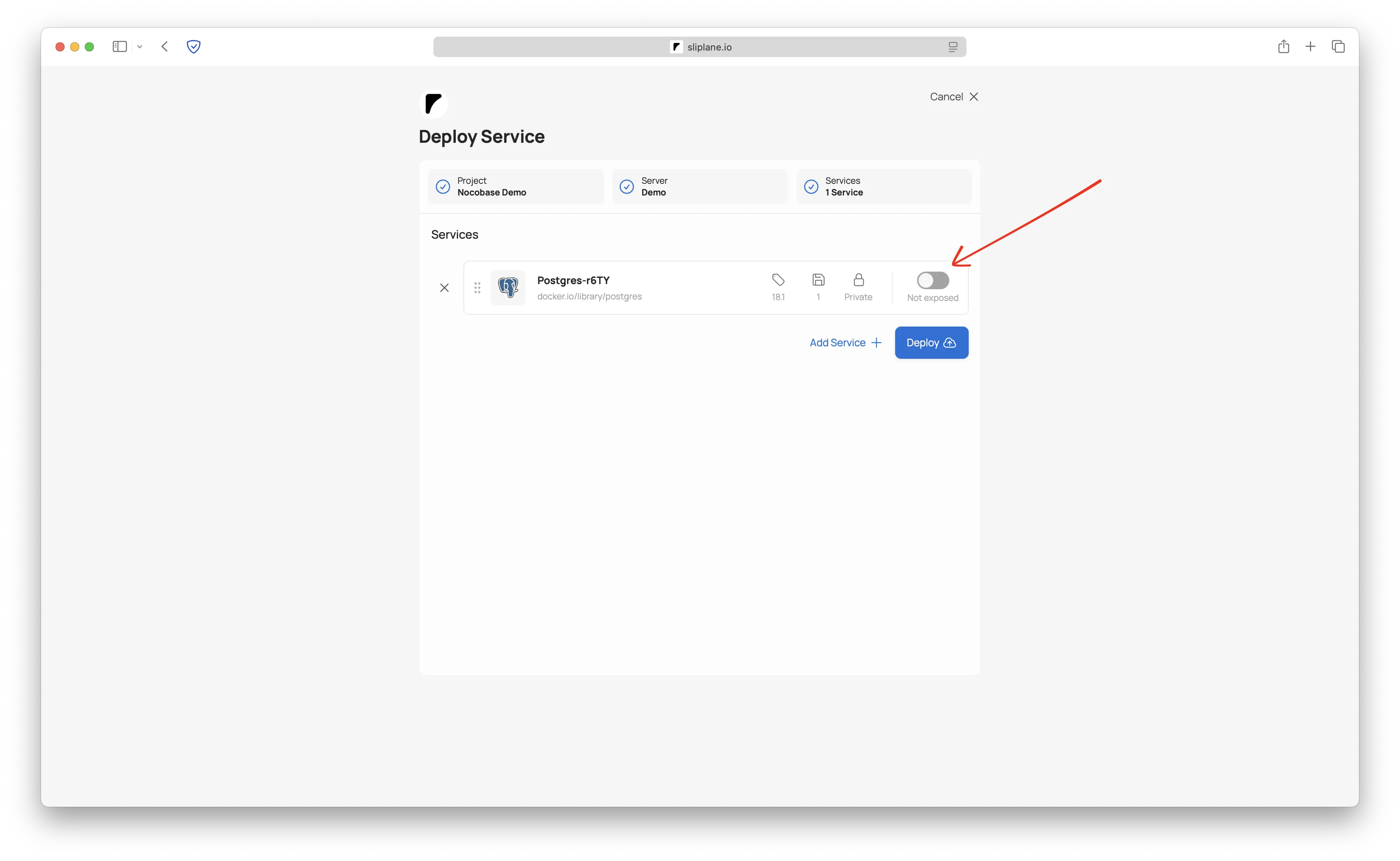
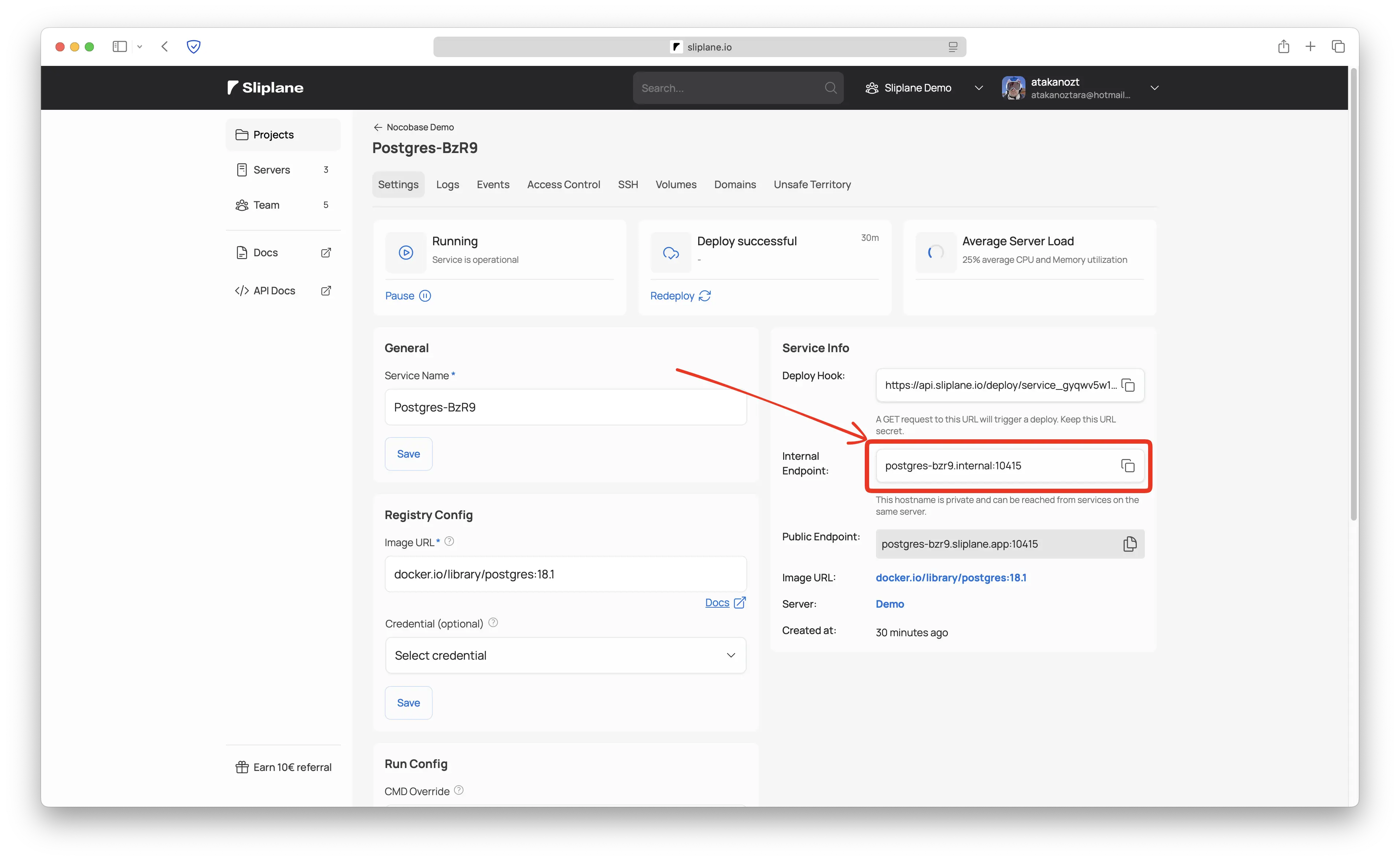
Once PostgreSQL is running, open the service details and copy the internal endpoint. It will look something like your-service-name.internal:port. You'll need this in the next step.
Also note the database password. You can find it in the Environment Variables section of your PostgreSQL service.
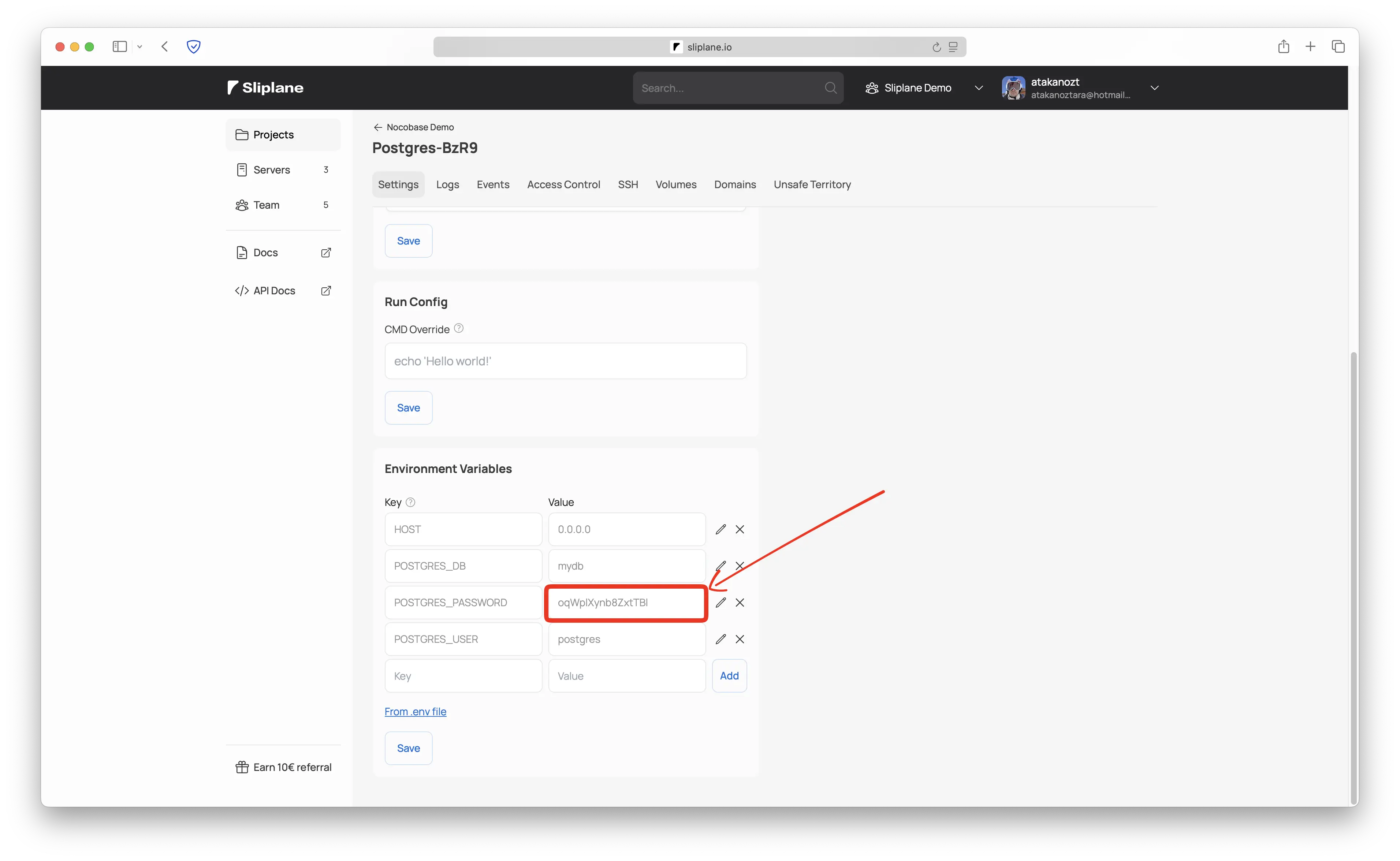
Step 3: Deploy NocoBase
Now let's deploy NocoBase and connect it to your PostgreSQL database:
- In the same project, click Deploy Service again
- Select the same server where PostgreSQL is running
- In the Deploy From section, select Registry
- In the Image URL field, enter
nocobase/nocobaseand select thelatest-fulltag - Add the following environment variables:
API_BASE_PATH="/api/"
APP_ENV="production"
APP_KEY="your-random-secret-key-here"
APP_PORT="3000"
DB_DATABASE="postgres"
DB_DIALECT="postgres"
DB_HOST="your-postgres-service.internal"
DB_PASSWORD="your-db-password"
DB_PORT="5432"
DB_USER="postgres"
HOST="0.0.0.0"
TZ="UTC"
Make sure to replace these values:
APP_KEY: generate a random string (at least 16 characters) for session securityDB_HOST: paste the internal endpoint you copied from your PostgreSQL serviceDB_PASSWORD: use the password from your PostgreSQL serviceDB_DATABASE: use the database name from your PostgreSQL service (default ispostgres)
- Add a volume to persist your NocoBase data. Give it a name of your choice and set the mount path to
/app/nocobase/storage - Click Deploy and wait for NocoBase to start up (this may take a couple of minutes on first boot as it initializes the database)
Step 4: Access NocoBase
Once the deployment is complete, open the domain shown in your Sliplane dashboard. It will be something like your-service.sliplane.app. You'll be greeted with the NocoBase initial setup screen where you can create your admin account and start building!
NocoBase uses default login credentials on first boot: admin@nocobase.com with password admin123. Make sure to change these right after your first login!
Environment Variables Explained
Here's a quick reference for what each environment variable does:
| Variable | Description |
|---|---|
API_BASE_PATH | Base path for the API endpoints (default: /api/) |
APP_ENV | Application environment, keep this as production |
APP_KEY | Secret key for encryption and sessions, use a random string |
APP_PORT | Port NocoBase listens on internally (default: 3000) |
DB_DATABASE | PostgreSQL database name to connect to |
DB_DIALECT | Database type, must be postgres |
DB_HOST | Internal hostname of your PostgreSQL service |
DB_PASSWORD | PostgreSQL password |
DB_PORT | PostgreSQL port (default: 5432) |
DB_USER | PostgreSQL username (default: postgres) |
HOST | Bind address, use 0.0.0.0 so Sliplane can route traffic |
TZ | Timezone for the application |
FAQ
Is NocoBase the same as NocoDB?
No! They are completely different projects. NocoDB is a spreadsheet-style database interface (an Airtable alternative). NocoBase is a full no-code/low-code application development platform with a plugin-based architecture for building business apps, CRMs, workflows, and more.
Can I install plugins on self-hosted NocoBase?
Yes! The community edition supports all open-source plugins. You can install them from the NocoBase plugin marketplace directly through the admin interface, or build your own custom plugins.
How do I update NocoBase?
On Sliplane, simply click the Redeploy button in your service dashboard to pull the latest image. If you pinned a specific version tag, update it in the service settings first.
Do I need to back up my data?
Your data lives in the PostgreSQL database and any volumes you've mounted. We recommend setting up regular PostgreSQL backups. Check out our guide on best practices for Postgres in Docker for tips.
Is my data secure?
Absolutely. With self-hosting, all your data stays on your server. The PostgreSQL service is only accessible internally (not exposed to the internet), and NocoBase communicates with it over Sliplane's private network.
Can I use a custom domain?
Yes! You can configure a custom domain in your Sliplane service settings. SSL certificates are handled automatically.
Conclusion
NocoBase is a powerful open-source alternative to expensive no-code platforms like Retool or Airtable. By self-hosting it on Sliplane, you get full control over your data, no per-user pricing, and a plugin ecosystem that lets you extend the platform however you need. All for just €9/month.
The two-step setup (PostgreSQL + NocoBase) takes about 5 minutes and requires zero server management knowledge. Give it a try and start building your business applications today!
Cheers, Atakan